
Marketing Data Integration & AdOps Automation Services
👋 Welcome! Looking for IT Services?
You've come to the right place! I offer:
🧬 Complex Data Integrations,
♻️ Custom Dataflow Pipelines,
🎯 Conversion Rate Optimization,
🚀 Advertising Operations Automation,
Integrate. Automate. Accelerate.


Marketing Data Integration
Clean Data, Smart Decisions!
Turn disconnected marketing tools into one reliable data system built for better tracking, reporting and campaign optimization.
Unify fragmented analytics data into trustworthy business insight, so budget decisions are based on real outcomes, not separate reports.
Common Data Flow Problems
Marketing data problems usually start when every platform keeps its own version of the truth. CRM, ad platforms, trackers and analytics tools report different numbers, while the team has to manually explain why nothing matches.
- Fix tracking discrepancies
Meta, Google Ads, GA4, trackers and CRM show different conversion numbers?
Build a validated data flow between the website, CRM, ad platforms, trackers and reporting tools. - Improve ad optimization
Ad platforms optimize for raw leads, but not for qualified leads, customers or revenue?
Send qualified lead stages, sales events and revenue data back to ad platforms for better optimization signals. - Restore lost click data
GCLID, FBCLID, TTCLID, click IDs or UTM parameters are lost before the lead reaches the CRM?
Capture, store and pass attribution IDs through the full customer journey. - Fix CRM-to-ads sync
CRM data does not reach Google Ads, Meta, TikTok or other ad platforms correctly?
Create automated CRM-to-ad-platform sync with validation, retries and error handling. - Fix server-side tracking
CAPI, server-side GTM or server events are connected, but the numbers still look wrong?
Audit event mapping, deduplication, payload quality, matching parameters and platform responses. - Prevent duplicate conversions
Leads or purchases are counted twice because browser and server events overlap?
Set up consistent event IDs and deduplication logic across browser, server and platform events. - Fix offline conversions
Google Ads Offline Conversions or Enhanced Conversions for Leads are not importing or matching correctly?
Prepare, format and send offline conversion data according to platform requirements. - Fix broken postbacks
Affiliate trackers show clicks, but conversions are missing, delayed or assigned to the wrong source?
Configure clean S2S postback flows between trackers, affiliate networks, CRMs and ad platforms. - Connect marketing tools
Landing pages, forms, CRM, trackers, analytics and dashboards do not work together?
Build custom API pipelines and webhook flows between all key marketing systems. - Replace fragile no-code flows
Zapier, Make, plugins or connectors break when volume, logic or API limits increase?
Replace fragile workflows with stable backend integrations, logs, retries and monitoring. - Improve reporting accuracy
Looker Studio or client reports depend on manual exports, spreadsheet edits or unreliable connectors?
Sync clean marketing data into BigQuery, databases, dashboards or reporting systems. - Monitor data failures
Tracking, syncs and postbacks fail silently, and the team finds out too late?
Add logs, health checks and alerts so broken data flows are detected early.
What Can Be Integrated
 Ad Platforms:
- Meta
- TikTok
- Microsoft
- Taboola
- Outbrain
 Trackers/TDS:
- Keitaro
- Binom
- Voluum
- AppsFlyer
- Affise
- Everflow
- affiliate networks
 CRM/Sales:
- HubSpot
- Salesforce
- Pipedrive
- Zoho
- Bitrix24
- Dynamics 365
- custom CRM
 Backend/Data:
- REST API
- GraphQL
- SOAP
- S2S/Webhooks
- SQL/NoSQL
- CSV/JSON/XML
- ClickHouse
 Analytics/BI:
- GA4/GTM/sGTM
- BigQuery
- Looker Studio
- Google Sheets
- Tableau
- Power BI
- Grafana
Core Data Integration Services

Custom API Pipelines
Keep data moving between the tools your team already uses. Custom API pipelines connect ad platforms, CRMs, trackers, analytics and internal systems into one flow, reducing manual work and disparate data.

CRM & Ad Platform Sync
Turn CRM outcomes into stronger optimization signals. Leads, qualified stages, sales and revenue can flow back to ad platforms or trackers, helping campaigns optimize for real business results instead of raw form submissions.

S2S Postbacks & Conversion APIs
Send cleaner conversion data through server-side channels that are less dependent on browser tracking. S2S postbacks, Conversion APIs and offline conversion flows help improve attribution, matching quality and platform optimization.
Tracker / TDS Integrations
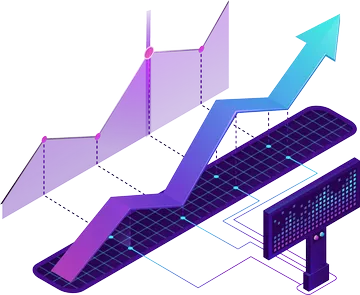
Make trackers, traffic sources, affiliate platforms and partner marketing software work as one interconnected performance layer. Clean click ID mapping, event logic and postback flows help keep performance data consistent across the full funnel.

Data Warehousing & Reporting Sync
Create one source of truth for marketing performance. Ad spend, leads, sales, revenue, tracker events and CRM statuses can be synced into databases, BigQuery, Google Sheets, Looker Studio or custom reporting layers.
Advertising Operations Automation
Quick Reaction, Improved Results!
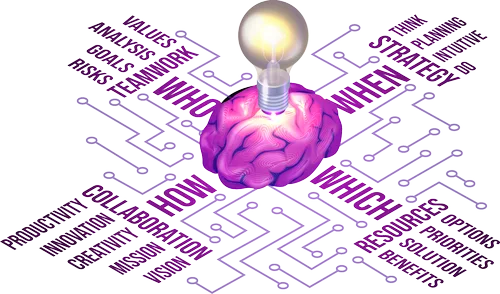
Automate AdOps workflows to monitor campaigns, control spend, catch issues faster and focus on scale instead of manual checks.
Use automated rules, alerts, campaign QA, budget pacing and reporting to protect ad spend and keep performance under control.
Common AdOps Problems
AdOps problems start when campaign decisions depend on manual checks. By the time someone notices a broken URL, rising CPA or missing conversion event, the budget is already gone.
- Stop wasting ad spend
Campaigns keep spending even when performance drops.
Create auto-pause rules based on CPA, ROAS, conversion volume, revenue or spend limits. - Control budgets
Daily, weekly or monthly budgets are managed manually across many campaigns and accounts.
Automate budget pacing, spend checks and budget redistribution. - Improve bid decisions
Bids are changed manually and too late to react to performance changes.
Automate bid adjustments using rules based on real performance data. - Prevent campaign mistakes
Campaigns go live with wrong names, URLs, UTMs, budgets, pixels or targeting settings.
Run automated campaign QA before launch and flag setup issues. - Standardize naming
Campaign, ad set and creative names are inconsistent across accounts and clients.
Validate naming rules automatically and detect broken naming patterns. - Detect broken tracking
Ads are running, but tracking, postbacks or conversion events stop working.
Monitor key events and alert the team when tracking drops, disappears or stops matching. - Catch landing page issues
Campaigns send traffic to broken pages, wrong URLs, redirects or slow-loading pages.
Automate URL checks, redirect checks and landing page availability monitoring. - Reduce manual reporting
Teams spend hours preparing weekly, daily or client performance reports.
Generate automated reports from ad platforms, CRM, trackers and analytics data. - Monitor account health
Important changes in spend, CPA, ROAS, revenue or conversion volume are noticed too late.
Set up alerts for unusual drops, spikes and account-level anomalies. - Automate routine checks
Media buyers manually check the same metrics, dashboards and campaign rules every day.
Build daily automation that reviews performance and highlights what needs action. - Manage many accounts
Agencies struggle to monitor multiple client accounts, campaigns and dashboards at the same time.
Create centralized rules, alerts and reporting across all client accounts. - Reduce human error
Manual campaign operations create missed issues, wrong edits and inconsistent decisions.
Automate repeatable checks and actions while keeping final decisions under human control.
What Can Be Automated
- Campaign monitoring
- Auto-pause rules
- Budget pacing
- Lead routing
- Bid adjustments
- Creative/offer rotation
- Postback failure alerts
- Tracking QA checks
- UTM validation
- Anomaly detection
- Webhook/S2S orchestration
- Telegram/Slack notifications
- CRM status-based actions
- Client report generation
- Daily/weekly reporting
Core AdOps Automation Services

Rules Engine & Auto-Pause Logic
Turn campaign data into fast protective actions before budget is wasted. Rule-based automation can pause campaigns, flag issues or trigger alerts when CPA, ROAS, conversion rate, sales volume or spend limits move outside safe ranges.

Budget & Bid Automation
Keep spend under control while moving budget toward better-performing campaigns. Automated pacing, bid adjustments and budget redistribution help teams react faster to performance changes without checking every account manually.

Campaign QA & Naming Validation
Launch cleaner campaigns with fewer setup mistakes. Automated checks can validate naming rules, URLs, UTMs, tracking parameters, required macros and campaign structure before errors turn into reporting gaps or wasted spend.

Alerts & Monitoring
Detect critical changes before they become expensive surprises. Monitoring workflows can notify the team when postbacks drop, CPA spikes, conversions disappear, APIs fail or account-level performance moves outside expected limits.

Automated Reporting
Replace repetitive report preparation with clean, scheduled performance updates. Automated reporting can combine ad spend, CRM data, tracker events, revenue and analytics into dashboards or client-ready reports with less manual work.
Typical Use Cases
How marketing data integration and AdOps automation work together across real workflows?
Connect lead capture, CRM stages and ad platform optimization into one feedback loop.
Centralize reporting and monitoring across multiple client accounts.
Sync traffic sources, trackers, postbacks and alerts into one performance workflow.
Connect purchases, leads, CRM statuses and revenue data into one performance loop.
Why Custom Integration Instead of No-Code Automation?
No-code automation tools are useful for simple workflows. Custom backend integration becomes valuable when marketing operations require complex logic, high-volume data, postbacks, retries, security, deduplication and reliable monitoring.
| No-code / Preset Tools | Custom Backend Integration |
|---|---|
| Good for simple workflows | Good for complex business logic |
| Platform task limits | Full control over execution |
| Harder to debug deeply | Custom logs, retries and alerts |
| Limited data transformations | Any mapping, validation and enrichment |
| Third-party dependency | Own infrastructure |
| Expensive at scale | Predictable custom logic |
| Weak for postback chains | Better for S2S, CAPI and tracker flows |
Built for Reliability, Not Just Connection
A stable marketing data workflow should not only move data from one tool to another. It should validate inputs, prevent duplicates, retry failed requests, log every critical step and alert the team when something breaks.
- Data validation before events are sent
- Deduplication logic for browser, server and CRM events
- Retry logic for failed API requests and postbacks
- Logging for debugging and data reconciliation
- Health checks for critical data flows
- Error alerts through Slack, Telegram or email
- Fallback handling when platforms or APIs fail
Business Benefits
Reliable marketing data flows and AdOps automation help teams move faster, trust their numbers and scale performance without adding more repetitive manual work.
- Fewer lost leads between forms, landing pages, CRMs and ad platforms
- Cleaner conversion data for tracking, attribution and campaign optimization
- Less manual reporting across spreadsheets, dashboards and client updates
- Faster campaign reactions when performance drops, spikes or tracking breaks
- More reliable ROAS visibility across ad spend, revenue and CRM outcomes
- Better CRM-to-ad-platform feedback loops for qualified leads and sales
- Fewer human errors in repeated checks, exports, imports and campaign operations
- Scalable AdOps workflows without scaling repetitive manual workload
How the Automation Integration Process Works
A reliable marketing data workflow starts with understanding the current setup, then turns it into a clear architecture, tested integrations and monitored production flows.
- Audit
Review the current marketing stack: ad platforms, CRM, trackers, analytics, reports, manual workflows and existing automation. The goal is to find data gaps, duplicated events, broken flows and weak points before building anything new.
- Architecture
Map how data should move between systems. This includes sources, destinations, event names, IDs, payloads, attribution fields, deduplication logic and the rules that define a clean data flow.
- Implementation
Build the required API connections, webhook endpoints, postback flows, scripts, database syncs, dashboard feeds or automation rules. Each part is designed to support the workflow instead of adding another fragile layer.
- Testing
Validate the system with test leads, test conversions, failed payloads, duplicate events, missing IDs and edge cases. This step helps catch tracking and data issues before they affect real campaigns.
- Launch
Deploy the approved workflow to production and verify that live data is moving correctly. Key events, postbacks, syncs, reports and platform responses are checked during the launch phase.
- Monitoring & Support
Keep the workflow stable with logs, alerts, health checks and ongoing updates. When APIs change, events fail or campaign requirements evolve, the integration can be adjusted without rebuilding the whole system.

Pricing
Fixes, integration or automation tasks can start from $100.
For larger workflows, use $25 per hour as a general reference.
Pricing depends on your setup, integration complexity and the depth of automation required. Long-term projects can be estimated with a reduced hourly rate depending on the scope and expected workload.